
Spring Boot + OAuth2 Google


Перед запуском
Создание OAuth
Для запуска понадобиться обзавестить своим Google OAuth.
- Переходим в Google APIs console credentials
- Создаём новый OAuth Client ID
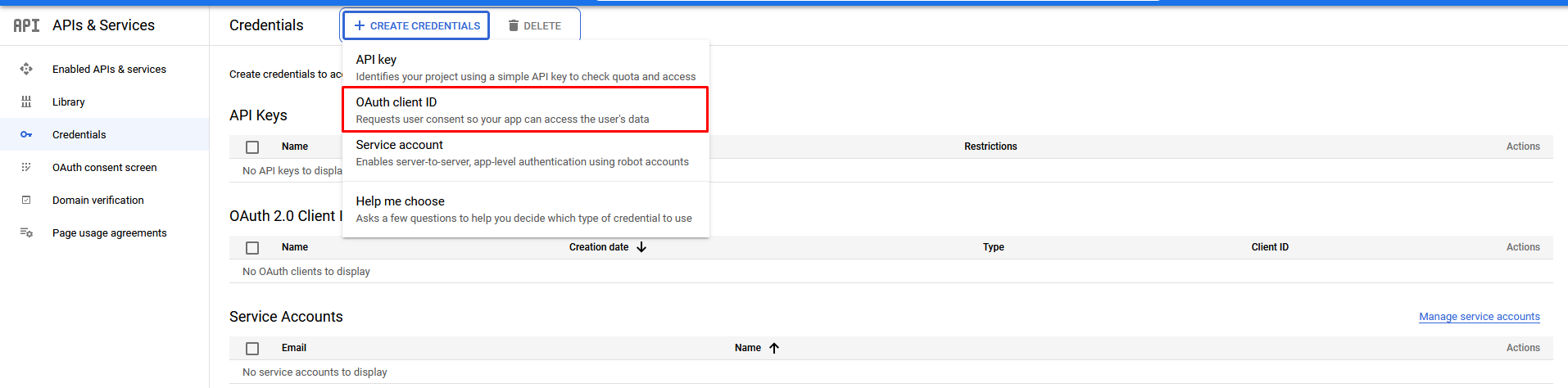
- Заполняем обязательно следующие поля
- Application type:
Web application - Homepage URL:
http://127.0.0.1:8080 - Authorization callback URL:
http://127.0.0.1:8080/login/oauth2/code/google
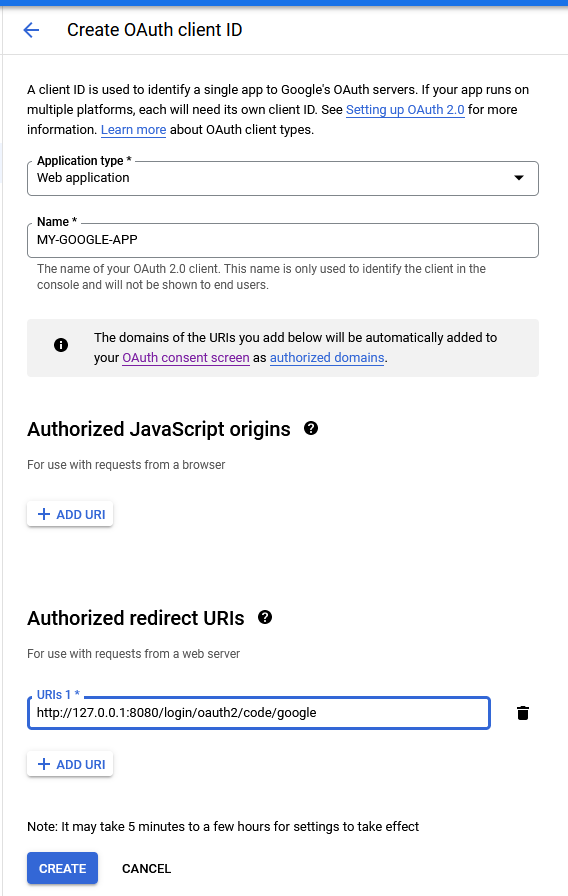
- Application type:
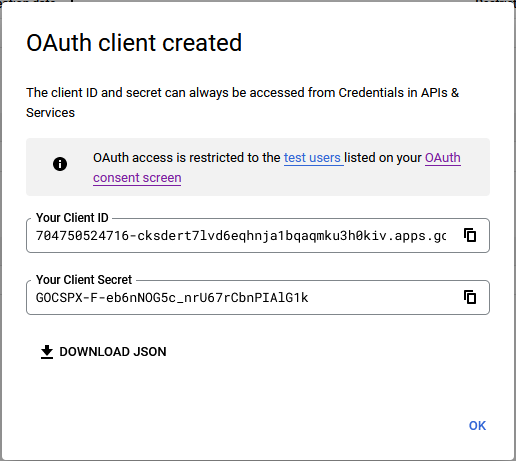
- Получаем Client secret/Client ID


Настройка Spring
Открываем файл src/main/resources/application.yml и указываем там Client ID и Client secrets:
spring:
  security:
    oauth2:
      client:
        registration:
          google:
            client-id: 704750524716-tnqc2islqao8tobjbrgvtte0fq8o39uv.apps.googleusercontent.com
            client-secret: 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